

Creating Stunning 3D Miniatures with Google Gemini: A Complete 2025 Guide
- Rakshita Jain
- Sep 13
- 4 min read

Are you ready to bring your creative ideas to life? In the fast-paced world of 3D printing and design, Google Gemini is transforming how hobbyists and professionals create stunning miniatures. This powerful tool lets you turn your imaginative prompts into detailed 3D models, making it simpler than ever to create unique pieces for gaming or collecting. Whether you're a table-top gamer or a passionate model maker, this guide will help you design, texture, and prepare your models for printing like a pro in 2025.
Understanding Google Gemini
Google Gemini is a sophisticated AI-powered platform that uses machine learning to generate 3D models from textual descriptions. With just a few carefully constructed prompts, you can create intricate designs ready for printing. The user-friendly interface makes it accessible for everyone, regardless of experience level.
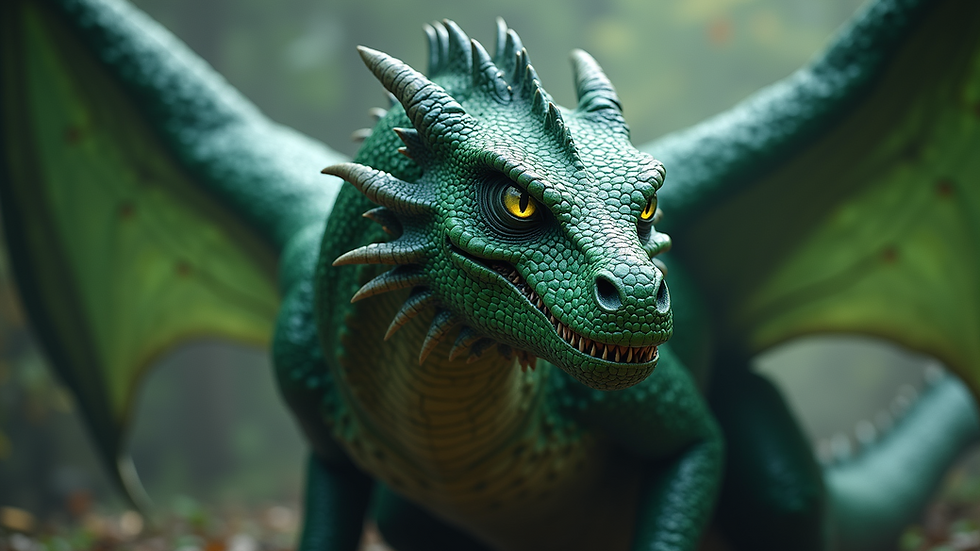
What makes Google Gemini stand out is its capability to turn your ideas into detailed 3D representations. For example, if you want to create a dragon miniature, a well-crafted prompt could result in a unique design you might not find elsewhere. This feature opens a world of possibilities, enabling you to enhance your gaming experience or create collectibles that showcase your creativity.
Getting Started with Your Design
To kick off your journey with Google Gemini, start by narrowing down your concept. Ask yourself questions like: What type of miniature do I want to create? Is it a whimsical creature, an armored knight, or a futuristic vehicle? The key is specificity; the clearer your vision, the more impressive your results will be.
Crafting Effective Prompts
Effective prompts are crucial for getting desirable results with Google Gemini. Here are some practical tips:
Be Descriptive: Use descriptive language to explain the size, shape, and features of your miniature. For example, instead of just "goblin," try "a small, mischievous goblin wearing tattered clothes and holding a glowing orb." This level of detail helps the AI understand your vision better.
Specify the Style: If you have a particular art style in mind—like cartoonish, realistic, or stylized—make sure to include that in your prompt. For instance, stating "a realistic dragon with intricate scales" will guide the AI toward the design you seek.
Include Context: Add context to frame your miniature. If it’s for a tabletop role-playing game set in a fantasy world, include relevant details, such as the environment or the character's backstory. For example, "a warrior from the Ice Lands bearing frost-covered armor" provides not just detail but also context.
By following these guidelines, your prompts will yield impressive models that align closely with your creative vision.
Texturing Your Miniature
After generating your 3D model, the next step is adding textures. Texturing is vital in making your miniature visually dynamic and realistic. Google Gemini provides various texturing options so you can tailor the appearance of your model to match your vision.
Choosing the Right Textures
When selecting textures for your miniature, consider these three elements:
Material Type: Think about how different materials impact the look of your miniature. For instance, the knight’s armor should have a metallic texture, while your forest creature could benefit from a bark-like appearance. Materials can significantly change the character of your model.
Color Palette: The colors you choose can set the mood of your miniature. A vibrant palette can make a model pop, while earthy tones might lend a more realistic feel. For instance, using dark greens and browns for a woodland creature can enhance its natural allure.
Detailing: Incorporate small details like scratches or dirt to add realism. A battle-worn knight or a creature covered in mud tells a story and creates more visual interest for anyone viewing your miniature.
By thoughtfully choosing and applying textures, you bring your 3D miniatures to life, making them truly stand out on the gaming table or in your collection.

Preparing for Print
Once your miniature is designed and textured, it's time to prepare it for printing. Proper preparation is essential to ensure that your model prints successfully and looks great once finished.
Checking Model Integrity
Before sending your model to print, perform these crucial checks:
Scale: Ensure that your model is appropriately sized for your 3D printer. Many printers have specific size limits, so double-checking dimensions could save you time and materials.
Mesh Integrity: Use modeling software to examine the mesh of your model. Look for any non-manifold edges or holes that could cause printing problems. Issues identified at this stage could prevent failed prints and wasted resources.
Supports: Depending on your miniature's complexity, consider whether it requires supports during printing. Google Gemini can assist in identifying areas where supports might be necessary, which can dramatically influence your print's success.
By carefully preparing your model, you ensure a smooth printing process, helping your miniature come out exactly as you envisioned.

Your Path to Exciting Creations
Creating stunning 3D miniatures with Google Gemini is an exciting journey that blends creativity and technology. By mastering the art of prompt craft, texturing, and print preparation, you can transform your imaginative ideas into tangible creations.
As we venture into 2025, the opportunities for 3D printing and design will only continue to expand. Tools like Google Gemini are at the forefront, making the process more accessible to everyone from seasoned designers to newcomers alike. This guide provides essential steps to create engaging, ready-to-play models that will enhance your gaming experience and showcase your artistic talents.
So, gather your ideas, start exploring Google Gemini, and let your creativity flourish! Happy designing!


Comments